
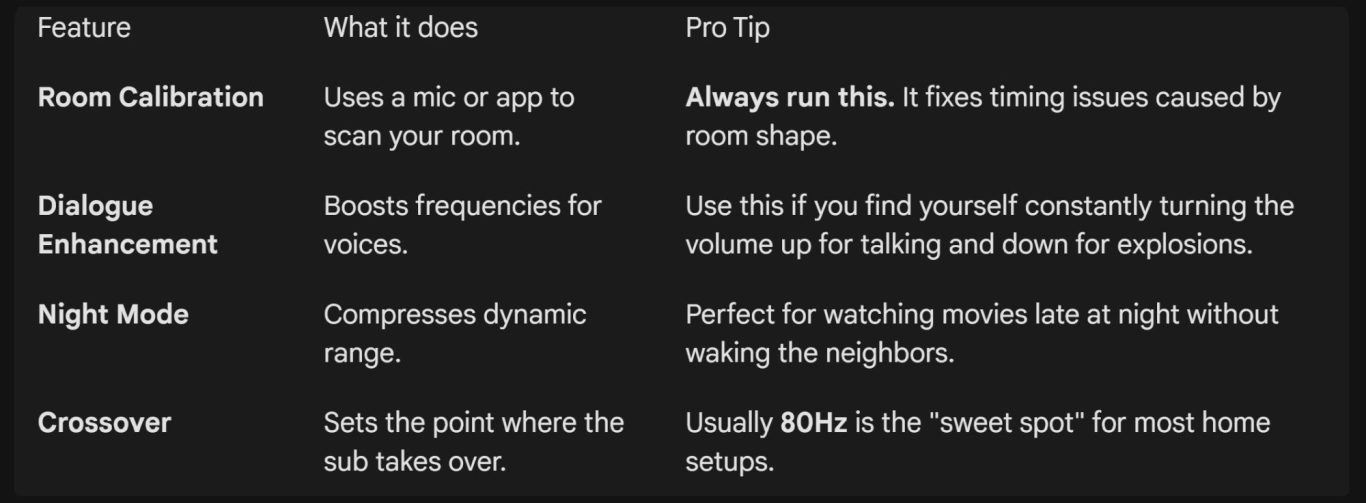
3. Fine-Tuning Your Sound
1. Connecting Your Gear
The "handshake" between your TV and soundbar determines what audio formats (like Dolby Atmos) you can actually hear.
- HDMI eARC/ARC (Best): This is the gold standard. It uses a single cable to send audio from the TV to the soundbar and allows your TV remote to control the soundbar volume (HDMI-CEC).
Note: Use eARC if you want uncompressed high-bitrate audio like Dolby Atmos or DTS:X.
- Digital Optical (Good): Use this for older TVs that lack HDMI ARC. It supports 5.1 surround sound but cannot handle modern "object-based" audio like Atmos.
- Wireless (Convenient): Many modern subwoofers and rear speakers pair automatically via Bluetooth or proprietary Wi-Fi when powered on.
2. Optimal Placement
The Soundbar
- Ear Level: Place the soundbar as close to ear level as possible when seated.
- Avoid "The Tunnel": Never place a soundbar inside a cabinet. Keep it at the very front edge of your TV stand so sound waves aren't reflected off the furniture.
- Clear Path: If your soundbar has up-firing speakers (for Atmos), ensure there is at least 2–3 feet of clear space above it.
The Subwoofer
- The "Subwoofer Crawl": Bass is finicky. Place the sub on your couch (where you usually sit) and play a bass-heavy track. Walk around the room; wherever the bass sounds tightest and clearest is where the subwoofer should live.
- Corner Loading: Placing a sub in a corner will make it louder, but potentially "boomy." A few inches away from the wall usually results in a cleaner sound.
Speaker Layouts
- 5.1 Setup: Place rears to the left and right of your seating position, slightly behind you, angled toward your ears.
- 7.1 Setup: Place one pair directly to your sides and a second pair directly behind you.
Set Up Guide for Soundbars, Speakers and Sub Woofers
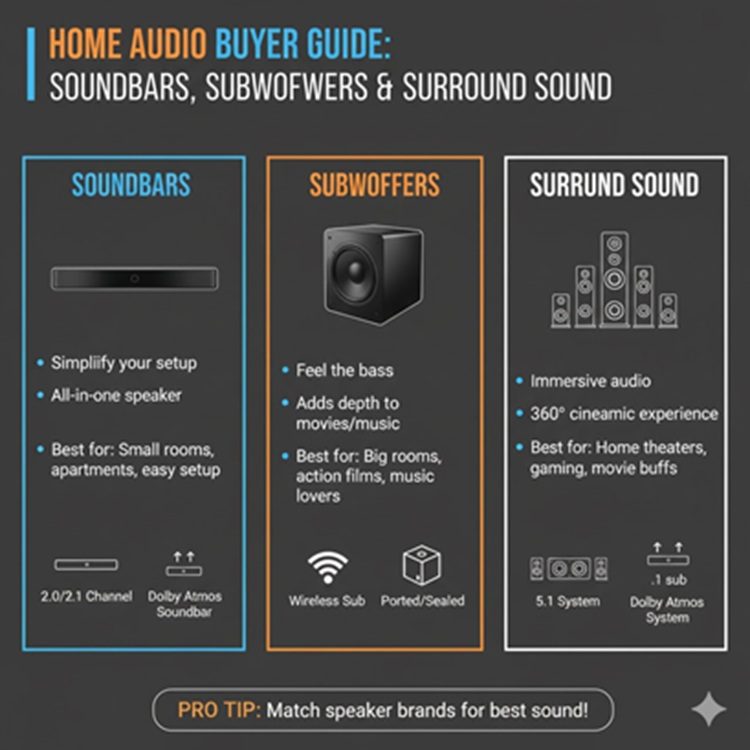
Upgrading your home audio can transform a movie night into a cinematic experience. Whether you have a simple 2.1 system or a full Atmos surround setup, proper placement and connection are the most critical factors for sound quality.
4. Troubleshooting Common Issues
- No Sound? Check your TV's "Audio Output" menu. Ensure it is set to External Speakers or HDMI Receiver.
- Audio Lag? If lips don't match the sound, look for an Audio Delay or Lip Sync setting in your soundbar or TV settings.
- Subwoofer Dropping Out? Keep your Wi-Fi router at least 3–5 feet away from the sound equipment to prevent signal interference.
- Would you like me to find the specific manual or recommended crossover settings for your particular soundbar model?